What's New

Every improvement we implement is designed to help you keep your life organized and stress-free.
All changes shown here refer to the Beta app. The classic app only receives maintenance updates.

Version 0.1.28 (unreleased)

Bugs fixed and some design tweaks.

  • engage in progress
    • In Radar notifications, project and goal names were not displayed correctly if they have special characters. It has been fixed.
    • Radar did not distinguish between close deadlines and those already passed. Now displays a different message if the date has already passed: "Deadline passed. Project X ended on January 22."
    • Radar now also distinguishes between nearby and passed reminders for delegated and incubated items.
    • Radar notifications now show full text.

    Added July 10, 2026

  • improved general done

    The notifications have moved to the top right.

    Done July 10, 2026

  • fixed calendar done

    Fixed the layout of the tooltip when hovering over an event so that the text it is fully visible.

    Done July 10, 2026

  • June 26, 2026

    0.1.27

    June 26, 2026

    New Radar section in Engage (improving to the old "reminders" section) and some general improvements.

    • new engage

      New Radar option within the Engage section, with nudges about things you don't want to miss: deadlines, inbox with too many captures, weekly reviews not done, etc.

      Done June 25, 2026

    • improved projects

      In the list of projects in progress, those with no active actions are identified with a special icon.

      Done June 26, 2026

    • improved general
      • Added Keyboard shortcuts for the main menu (CTRL+1, CTRL+2, ..., CTRL+5).
      • Improved the layout of the Settings option in the mobile version.
      • Improved the link to What's new? in the user menu.

      Done June 23, 2026

    • fixed general

      Four production bugs have been fixed.

      Done June 26, 2026

    June 19, 2026

    0.1.26

    June 19, 2026

    Improvements in Clarify and Projects. Bugs fixed.

    • improved clarify
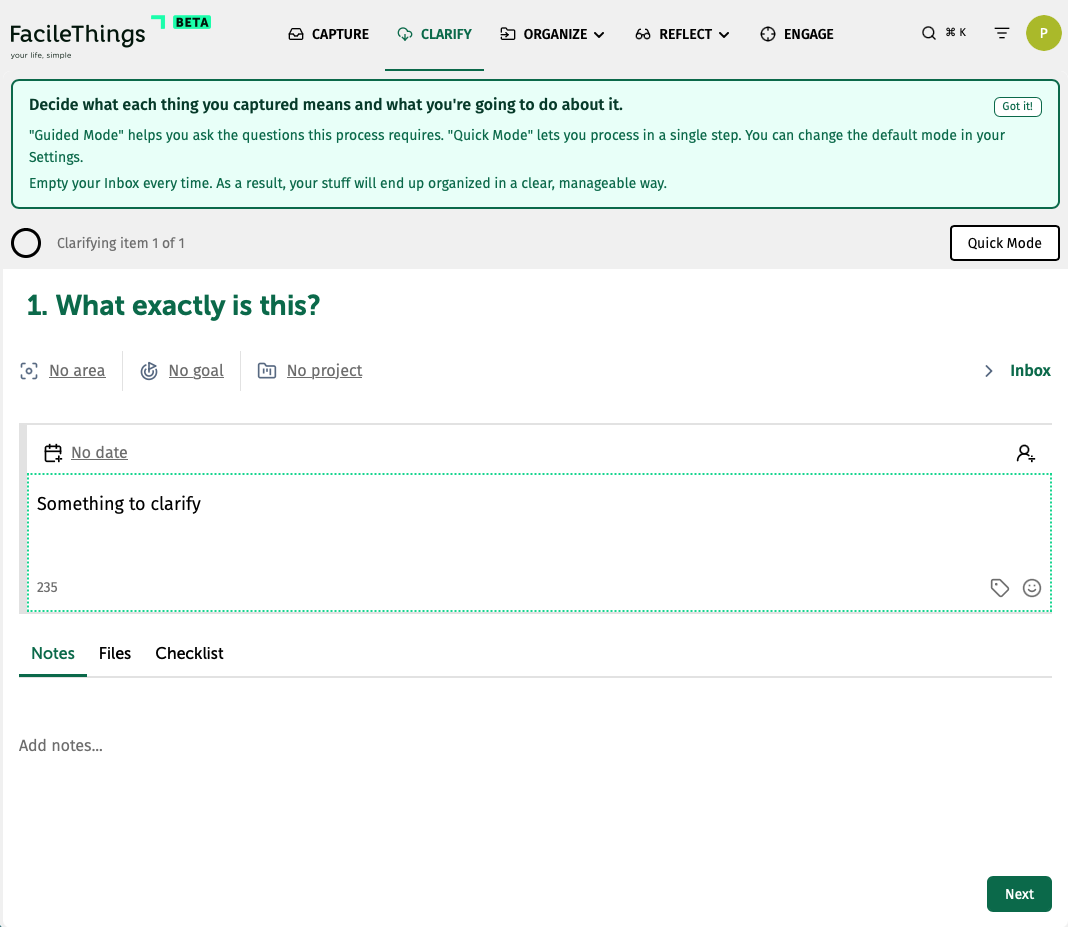
      • We've added a Settings option to the user menu where you can specify your preferred clarifying mode (quick or guided).
      • If you need to create a project while clarifying, the project editor now opens so you can enter all the project information without interrupting the process.
      • On the desktop version, notifications have been moved to the center area so they don't interfere with the process buttons.
      • On the mobile version, the size of the celebration image has been reduced.

      Done June 18, 2026

    • improved projects
      • The new project button is now in the project list, and the add action button is now in the actions area.
      • The option to sync 1-more-month of completed projects is now fixed so it doesn't switch tabs during the refresh.

      Done June 15, 2026

    • fixed general

      Some bugs have been fixed:

      • When editing the text of an item, in some cases the tag entered was not correctly recognized so the item did not appear when filtered by that tag. The problem has been solved.
      • The number of weeks shown in the dialogs in which a date is selected has been fixed so that, when moving from month to month, the height of the window does not vary, forcing you to adjust the mouse all the time.
      • 3 bugs have been fixed in production.

      Done June 19, 2026

    June 12, 2026

    0.1.25

    June 12, 2026

    Redesigning and improving the Clarify option. Optimizing the sync engine.

    • improved sync engine

      We have optimized the synchronization process, excluding projects that have been completed more than a month ago, so that users with a history of hundreds of completed projects are not penalized on a daily basis. If you need to access these projects, there is a tool to increase the number of months that are synchronized.

      The total shown in the project list refers to the number of active (unfinished) projects.

      Done June 11, 2026

    • improved clarify

      In addition to applying a new design to the Clarify process, we have included a couple of improvements:

      • "Quick mode" can be activated at any time, at any stage of "guided mode" (previously it could only be activated at the beginning).
      • The "Do Now" option allows you to cancel the execution so you can modify the task information before the process ends.
      • Completed projects, achieved goals, and disabled focus areas are no longer displayed.

      Done June 10, 2026

    June 08, 2026

    0.1.24

    June 08, 2026

    Bug fixes, new What's New page, improvements in the Calendar, and little tweaks.

    • new general

      We have created a What's new page to report in detail and in real time what is being done in each update. You can access to from the top-right user menu.

      Done June 06, 2026

    • improved calendar

      The calendar now displays projects and goals with deadlines. Clicking on an event allows you to update the selected project or goal.

      Done June 08, 2026

    • improved lists
      • The clickable area of ​​project links in list items has been reduced to prevent accidental opening.
      • The link has been fixed to open the right project.

      Done May 29, 2026

    • fixed lists

      Trash items were not synced.

      Done June 01, 2026

    • fixed general

      3 production bugs fixed.

      Done June 01, 2026

    • fixed general

      5 production bugs fixed.

      Done May 29, 2026

    • fixed calendar

      A couple of bugs fixed in the Calendar:

      • The HTML event texts are correctly decoded
      • The background color from the original Google/Outlook calendar is imported correctly.

      Done May 29, 2026

    Try FacileThings FREE for 30 DAYS and start living at your own pace

    No credit card required for the free trial. Cancel anytime with one click.